Using InDesign, design a 4-page brochure for a fictitious travel agent.
- The size of the brochure should be A5 (when it is folded).
- Design the brochure in full colour.
- Use fake body copy, but create sensible headings.
- Use titles, headings and images of your choice.
- Be sure to pay attention to:
- Choice of type
- Choice of imagery
- Use of layout and grid to communicate the content.
In this task we should choose a fictitious travel agent and make a brochure. I chose to make a brochure about Lofoten.
I Started to make a quick sketching how I wanted to brochure to look like.

I wanted to have many pictures that show how nice and incredible Lofoten is. I chose the typeface Minion Pro because i think this typeface is elegant and neat. I chose to have the headlines in bold Minion Pro. I made sensible headlines such as: Nature, activities and Culture and history.
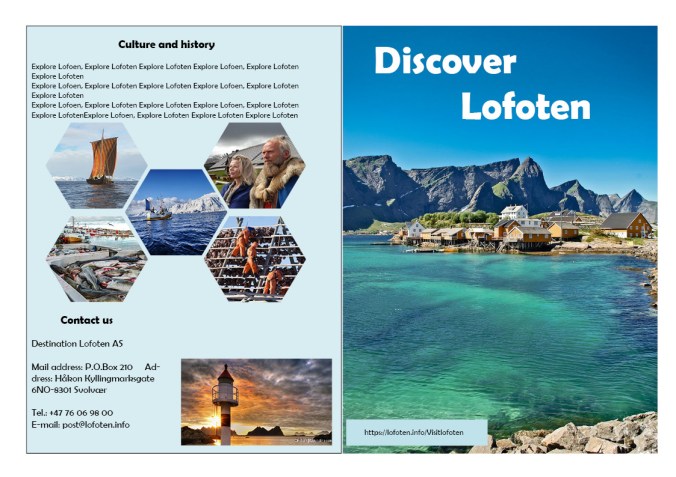
At the front-page i chose to have a full size picture and a white colored Headline. Since the main color in the picture is blue, I think a white color in the headline makes is easy to see.
The last page in the brochure, I have mixed the columns. I have a text box on top, some pictures in the middle and down at the right side. This to make it a bit playful and interesting.
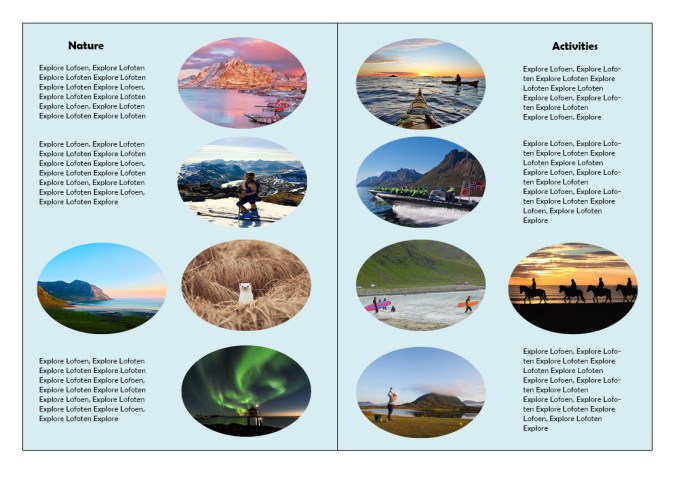
At the two pages inside the brochure I have made two columns and made the pictures round. I think the round pictures make it more playful and nice to look at.
Here is my final brochure:
Sourches:
https://lofoten.info/Visitlofoten
 My reflective journal